
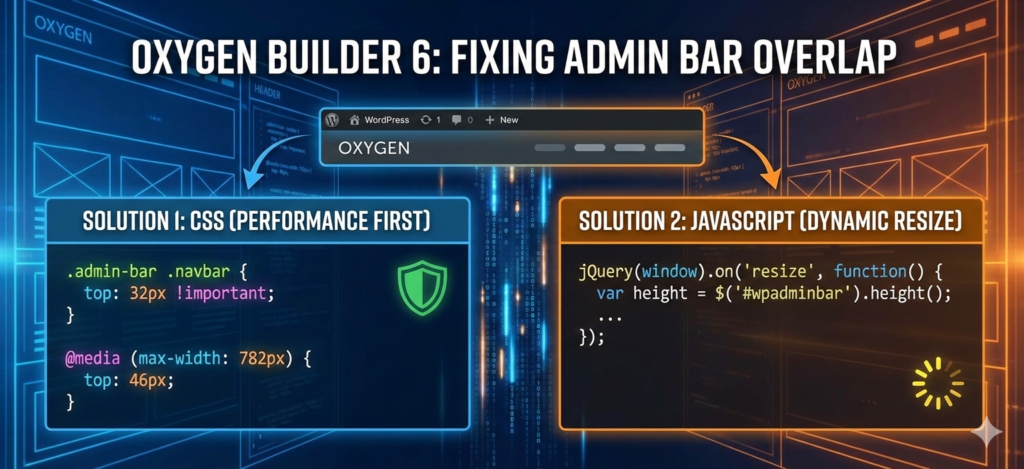
The Invisible Header: Fixing Admin Bar Overlap in Oxygen Builder 6 (The High-Performance Way)
If you’ve designed a sticky header in Oxygen Builder 6, you’ve likely encountered the "Invisible Header" bug. When logged in, the WordPress Admin Bar sits directly on top of your navigation, obscuring your logo and links.
While this is a common annoyance, the fix requires understanding how WordPress handles different screen sizes. Here are two ways to solve the overlap: the Performance-First CSS method and the Responsive JavaScript method.
Why the Overlap Happens
The WordPress Admin Bar isn't a fixed height; it’s a moving target. To maintain touch-friendly targets, WordPress changes its height based on the device width:
- Desktop (>782px): Exactly 32px high.
- Mobile (≤782px): Expands to 46px high.
- Small Screens (≤600px): On many setups, the bar becomes absolute or moves, which can create a random gap if not handled correctly.
Solution 1: The "Performance First" CSS Way (Recommended)
This is the cleanest method for SEO and site speed. By using the .admin-bar class that WordPress automatically adds to the <body> tag, we can adjust the navbar position before the browser even finishes rendering the page.
The Benefit: Zero Cumulative Layout Shift (CLS). There is no "flicker" because the browser doesn't have to wait for a script to run.
CSS
/* Apply top margin only when admin bar is present */
.admin-bar .navbar {
    top: 32px !important; /* Standard Desktop Height */
}

/* Adjust for Mobile (WP admin bar jumps to 46px at 782px width) */
@media screen and (max-width: 782px) {
    .admin-bar .navbar {
        top: 46px !important;
    }
}

/* Handle very small screens where admin bar might become absolute */
@media screen and (max-width: 600px) {
    .admin-bar .navbar {
        position: relative; /* Or adjust top if navbar is fixed */
    }
}
Solution 2: The JavaScript Way (Responsive & Dynamic)
If your navbar height changes dynamically or you prefer a "set it and forget it" approach that measures the bar in real-time, JavaScript is the way to go. This script uses a resize listener to ensure that if a user rotates their phone or resizes their browser, the offset updates instantly.
JavaScript
jQuery(document).ready(function($) {
    function adjustNavbarForAdminBar() {
        var $wpAdminBar = $('#wpadminbar');
        var $navbar = $('.navbar');

        if ($wpAdminBar.length && $wpAdminBar.is(':visible')) {
            var adminBarHeight = $wpAdminBar.height();
            $navbar.css('top', adminBarHeight + 'px');
        } else {
            $navbar.css('top', '0');
        }
    }

    // Run on load
    adjustNavbarForAdminBar();

    // Run on window resize (Handles mobile orientation changes)
    $(window).on('resize', function() {
        adjustNavbarForAdminBar();
    });
});
Performance Tip: Why CSS Wins for SEO
While the JavaScript method is highly accurate, it has a slight drawback: the "flicker" effect. Because the script has to wait for jQuery to initialize, the header may sit at the very top for a fraction of a second before "snapping" down into place.
For high-performance sites, the CSS method is superior because it prevents this layout shift, keeping your Core Web Vitals in the green.