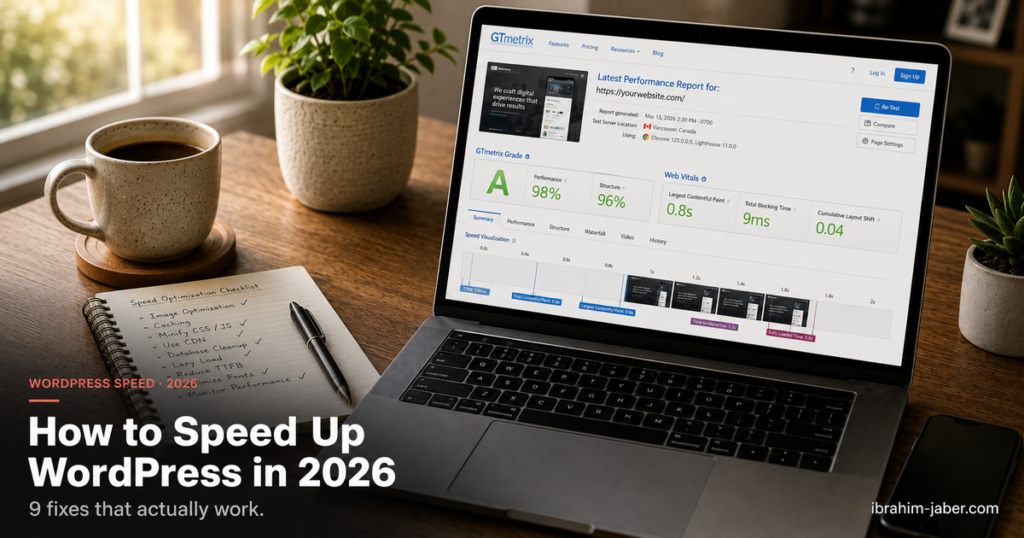
To speed up a WordPress site in 2026, work through nine fixes in order of impact: move to modern hosting on PHP 8.2 or newer, add a caching plugin, serve compressed next-gen images, put a CDN in front of your assets, remove render-blocking CSS and JavaScript, trim unused plugins, clean your database, keep everything updated, and then tune specifically for Core Web Vitals. Most sites see the biggest jump from the first three steps alone.
WordPress powers 41.2% of all websites and 59.1% of the CMS market as of July 2026 (W3Techs). It is popular because it is flexible, not because it is fast out of the box. A default install ships to be broadly compatible, so the speed work is left to you. The good news: that work is well understood, and most of it takes an afternoon.
I build and optimise WordPress and WooCommerce sites for a living, and in my experience the same short list of fixes below accounts for most of the speed I claw back on a typical audit. The order matters as much as the list, so work from the top.
Slow pages do not just annoy people, they cost sales. Portent analysed over 100 million page views and found that e-commerce conversion rate more than halves between a one-second and a four-second load time.
Search visibility is tied to the same numbers. Google measures every site against Core Web Vitals, and its "good" thresholds are public:
| Metric | What it measures | "Good" threshold |
|---|---|---|
| Largest Contentful Paint (LCP) | Loading: when the main content appears | Under 2.5 seconds |
| Interaction to Next Paint (INP) | Responsiveness: delay after a user interacts | Under 200 milliseconds |
| Cumulative Layout Shift (CLS) | Visual stability: how much the layout jumps | Under 0.1 |
INP replaced First Input Delay as a stable Core Web Vital in 2024, so responsiveness now counts more than the old first-tap metric ever did (web.dev).
Hosting sets your ceiling. No plugin can rescue a site stuck on an overloaded shared server. For a serious WordPress site in 2026, look for PHP 8.2 or newer, HTTP/2 or HTTP/3, server-level caching, and an SSD or NVMe disk. PHP 8.x is significantly faster than the PHP 7 versions many old sites still run on, and upgrading the PHP version in your host's control panel is often the single cheapest speed win available.
If you are on entry-level shared hosting and your traffic has grown, managed WordPress hosting or a small cloud VPS will usually cut server response time (the part before anything even renders) by a wide margin.
Page caching is the process of saving a finished HTML copy of each page so the server can send it straight to visitors, instead of rebuilding the page from PHP and database queries on every request. It is the highest-leverage change most sites can make, and it remains the first plugin you should install.
Reach for a well-maintained plugin (WP Rocket, LiteSpeed Cache on LiteSpeed servers, or the free W3 Total Cache) and enable page caching plus, if your host supports it, object caching via Redis. Page caching alone often takes a two-second load down to well under one second for repeat visitors.
Images are the heaviest part of most pages, and unoptimised images are the most common reason a site fails LCP. Three habits fix almost all of it: compress every image before or on upload, serve modern formats like WebP or AVIF, and lazy-load anything below the fold so it only downloads when the visitor scrolls to it. WordPress has lazy-loaded images natively since version 5.5, and plugins such as ShortPixel or Imagify automate the conversion and compression. Always set explicit width and height on images too, which prevents the layout jumps that hurt CLS.
A Content Delivery Network (CDN) is a group of servers spread around the world that store copies of your static files (images, CSS, JavaScript, fonts) and serve each visitor from the location nearest them. For an audience outside your host's home region, a CDN can shave hundreds of milliseconds off load time. Cloudflare offers a capable free tier, and many managed hosts bundle a CDN. This is the correctly working version of the "distribute content over multiple servers" idea, without the broken link the old draft pointed at.
By default a browser will pause page rendering while it downloads and parses CSS and JavaScript in the document head. Deferring non-critical scripts, loading them asynchronously, and inlining the small amount of "critical CSS" needed for the first screen lets the page paint sooner. Most caching plugins now include one-click options for minifying, combining, and deferring these files. Change them a few at a time and re-test, because aggressive JavaScript deferral can occasionally break a slider or a form.
Every active plugin adds code, and some add their own scripts and database queries to every page whether you use them or not. Audit your plugin list, deactivate and delete anything you no longer need, and prefer one well-built plugin over three overlapping ones. On the database side, months of post revisions, spam comments, and expired transients accumulate as bloat. A tool like WP-Optimize cleans that out and keeps queries fast.
Updates are not only about security, they carry performance improvements too. Running current WordPress core, an actively maintained theme, updated plugins, and a modern PHP release means you benefit from every optimisation those teams ship. A neglected site slowly falls behind on speed as the rest of the ecosystem moves forward.
Once the basics are in place, target the three metrics directly. Improve LCP by optimising your largest above-the-fold image or heading and preloading it. Improve INP by cutting heavy JavaScript so the main thread can respond to taps quickly. Improve CLS by reserving space for images, ads, and embeds so nothing shifts as it loads. This matters because most sites still fail: the 2025 Web Almanac found only 48% of mobile pages and 56% of desktop pages pass all three Core Web Vitals.
You cannot improve what you do not measure. Use Google PageSpeed Insights for a lab score plus real-world field data, and check the Core Web Vitals report in Search Console to see how actual visitors experience your site over the last 28 days. GTmetrix and the browser's built-in Lighthouse panel are useful for drilling into individual issues. Test before and after each change so you know which fix earned the improvement. If you want a deeper technical walk-through, my guide on fixing admin bar overlap the high-performance way shows the measure-then-fix loop applied to a real layout problem.
Performance optimisation is one of the web development services I run for small and medium businesses, alongside WordPress and WooCommerce builds and full website audits. If your site is slow and you would rather have someone diagnose it properly than guess at plugins, you can see past work in my portfolio or get in touch and I will take a look.
Aim for a Largest Contentful Paint under 2.5 seconds on mobile, which is Google's "good" Core Web Vitals threshold. In practice, targeting a full load under two seconds keeps you comfortably inside that bar and protects conversion rates, which fall sharply past the three-second mark.
For most sites it is enabling page caching, usually paired with a better host. Caching serves a saved static copy of each page instead of rebuilding it from PHP and the database on every visit, which often halves load time for repeat visitors before you touch anything else.
Not always. Many managed WordPress and LiteSpeed hosts cache at the server level, which is faster than a plugin. If your host already does this well, a caching plugin may only be needed for extras like image lazy-loading and script optimisation. Check what your host provides before stacking two caching layers, since they can conflict.
Interaction to Next Paint measures how quickly a page visibly responds after a user taps, clicks, or types, across the whole visit rather than just the first interaction. It became a stable Core Web Vital in 2024, replacing First Input Delay because it captures real responsiveness far more completely.
It is less about the number and more about quality. Ten lightweight, well-coded plugins can be lighter than three that each load scripts and run database queries on every page. Audit what each plugin actually adds, remove anything unused, and prefer a single well-built tool over several overlapping ones.
You must be logged in to post a comment.
